Webixty Tasks

See what’s next.
Know what’s done.

Bring your tasks, projects and notes together. Plan your own day or work with a team, on your computer, on your phone and in the tools you already use.

Start free with up to 3 people and 1,000 tasks.

Webixty Tasks / Product LaunchInside the app
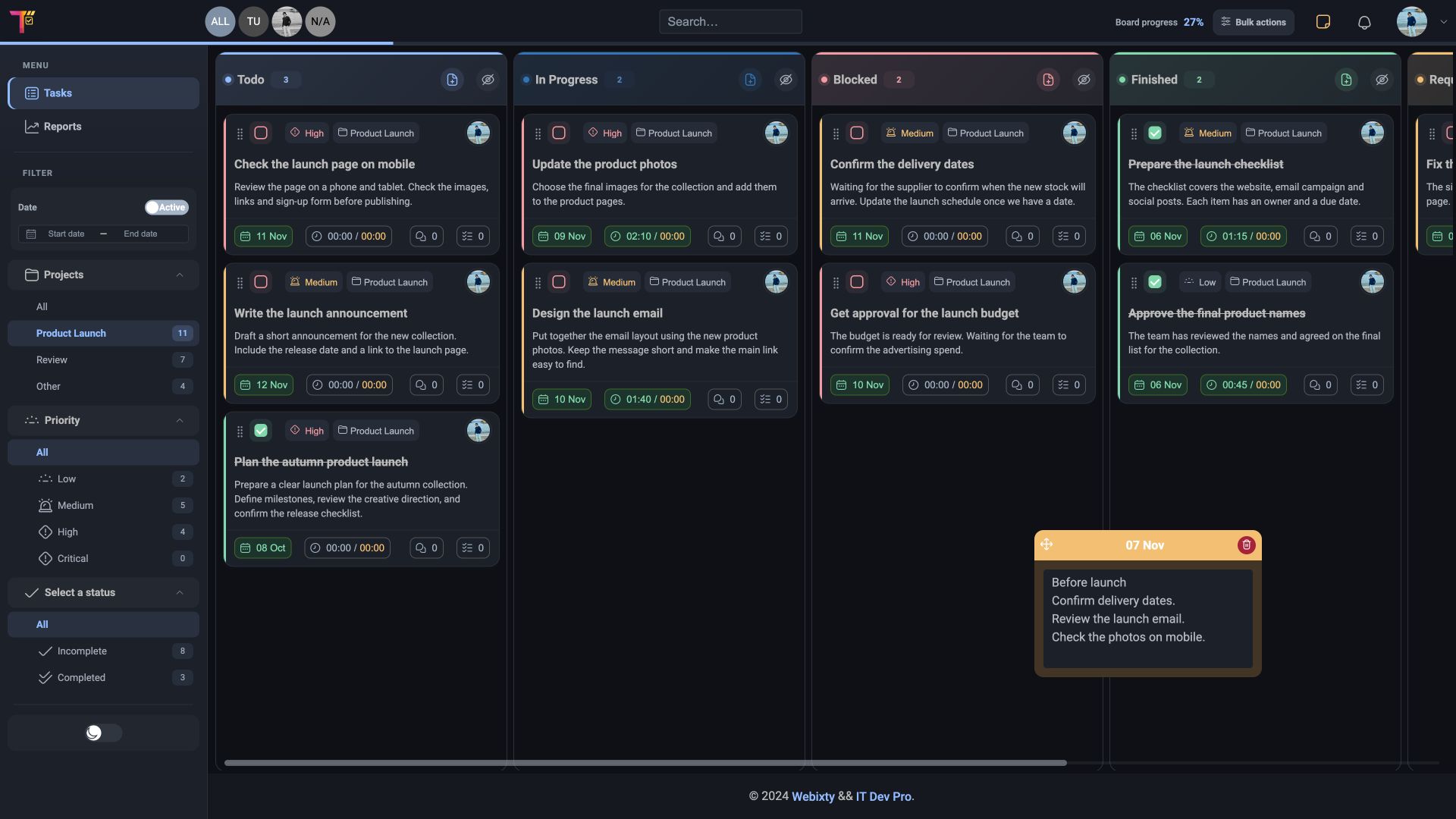
Webixty Tasks board with tasks arranged in Todo, In Progress, Blocked and Finished columns.
A look inside the demo workspace

From the details to the bigger picture

For the task at hand. And the bigger picture.

Plan your day, keep the details close and see where the work has taken you.

01 The task

The details belong with the task.

The description, the owner, the due date and the conversation. Open a task and pick up the work without having to piece the story together.

  • Descriptions, subtasks and comments
  • Priorities, due dates and assignees
  • A history of changes
Features
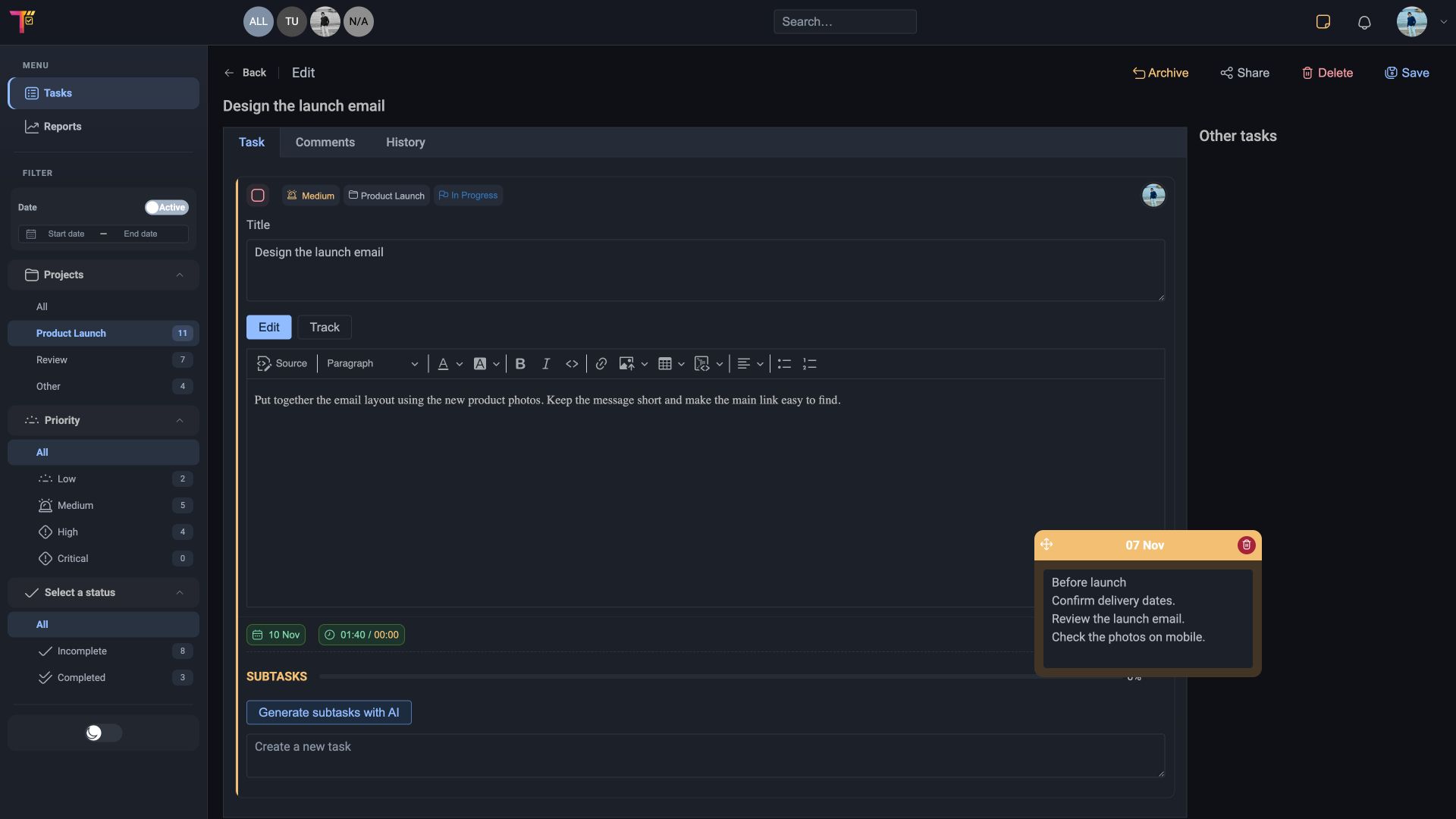
Task details with an assignee, priority, due date, description and subtasks.
A look inside the demo workspace
02 The time

See where your time goes.

Record time against tasks and review it by project and person. Keep track of billable time and export the report as a CSV.

  • Tracked and billable time
  • Filters for projects, people and due dates
  • CSV export
Features
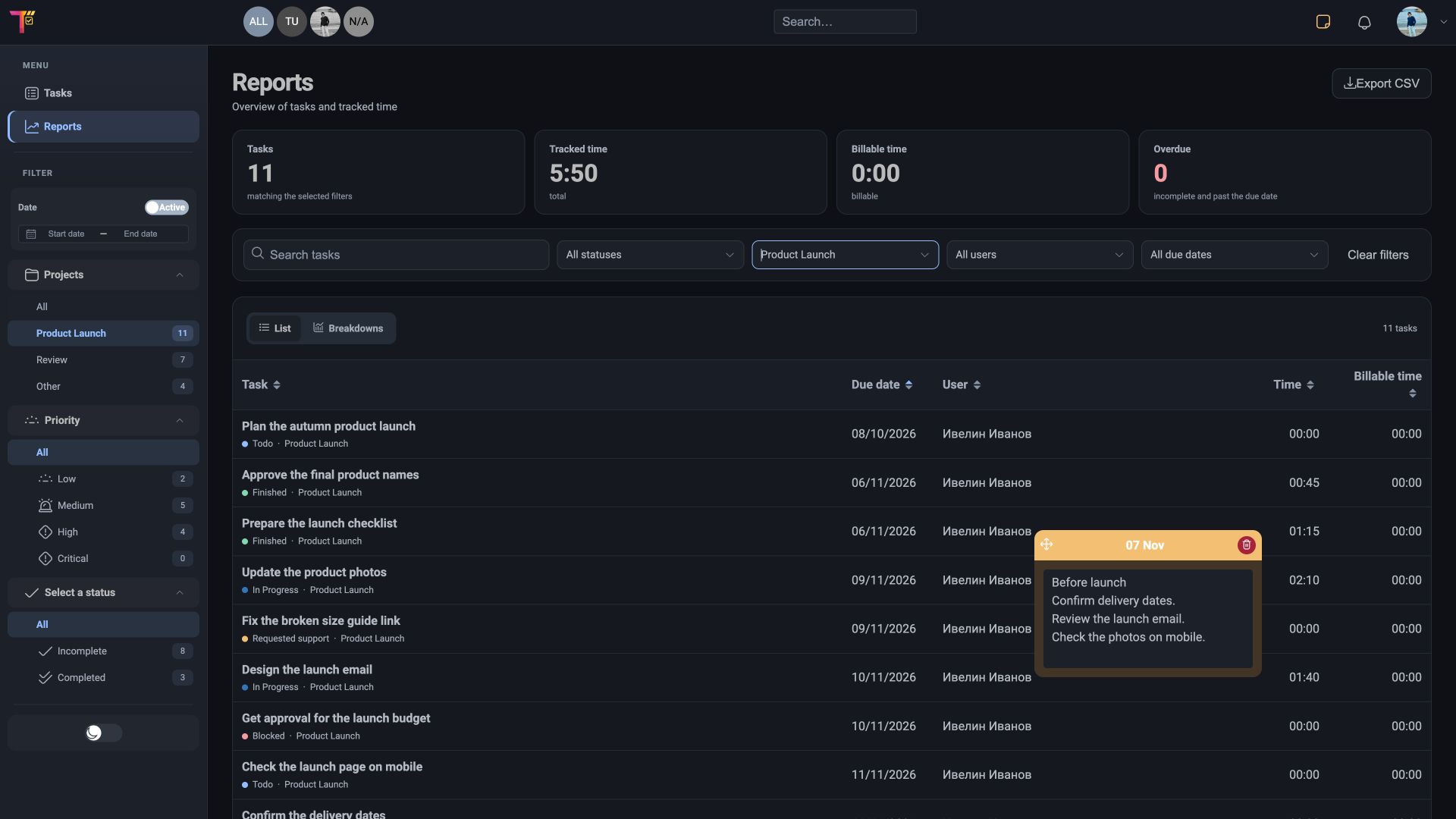
Time report showing time recorded against tasks and projects.
A look inside the demo workspace

Web · iOS · iPadOS

At your desk. In your pocket.

Look up a task, add a note or check what’s next from your phone. Use the same account you use on the web.

App Store
Webixty Tasks
Webixty Tasks board with tasks arranged in Todo, In Progress, Blocked and Finished columns.
Web
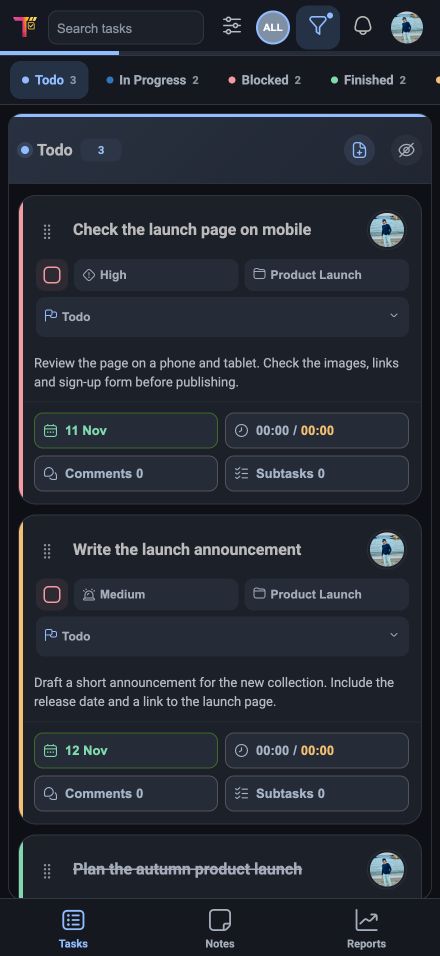
Webixty Tasks task board on a phone.
iPhone

Use the same Webixty Tasks account on the web, on your phone and in your connected tools.

Apps

Connected to the way you work

Keep working in the tools you already use.

Create tasks from a Discord channel, a Git commit or a conversation with your AI assistant. Keep them together in the same projects.

OpenAIChatGPT / Codex

Talk through the plan. Turn it into tasks.

Find tasks, create new ones and update progress in ChatGPT or Codex. You can add a whole list of tasks in one go.

Connect your assistant
An example request
You

Add tasks for our website launch: review the copy, test the mobile layout and prepare the release.

Webixty Tasks
  • Review the copy
  • Test the mobile layout
  • Prepare the release
An example Git commit
JetBrainsGit Commitmain
resources/views/checkout.blade.php
Commit message

Fix the checkout button

Create task Unfinished
Successful commitTask in Webixty Tasks
JetBrainsPhpStorm / IntelliJ IDEA

Commit the work. Create the task.

Enable “Create task” before committing in PhpStorm or IntelliJ IDEA. After a successful commit, the task appears in Webixty Tasks with the message, SHA and changed file names.

Connect your IDE
Discord

Turn Discord messages into tasks.

Pick a channel, project and column. Create a task for each new message or combine several messages into one task using a separator.

Set up Discord
Example from a Discord channel
#tasks

Fix the checkout button on mobile

Task in Webixty Tasks
  • Fix the checkout button on mobile
Model Context Protocol

Your workflow. Your own connection.

Connect a compatible MCP client to your workspace. Sign in with OAuth or use an API token. Access follows your account’s workspace permissions.

Set up MCP
Remote MCP server
https://api.webixtytasks.com/mcp
OAuth 2.0API token

Work taking shape in Webixty Tasks

3,065tasks organized
2,728tasks completed
24projects

A free start

Start for free.

For your own tasks and your first shared projects. Bring the plan, the details and your team together.

Create your free account
Up to3people
Up to1,000tasks